
 3 min •
Fumbi Network
3 min •
Fumbi Network
How to Transfer Cryptocurrencies to Fumbi If You Hold Them on a Platform Without MiCA Authorization
Do you hold cryptocurrencies on a platform without MiCA authorization? Transfer them to Fumbi’s regulated environment.
If you hold cryptocurrencies with a provider that has not obtained MiCA authorization, now is the right time to consider transferring them to a regulated provider. At Fumbi, you can create a Fumbi Wallet, send supported cryptocurrencies to it from another platform, and then transfer them directly to your Fumbi Account.
We currently support transfers of BTC, ETH and SOL.
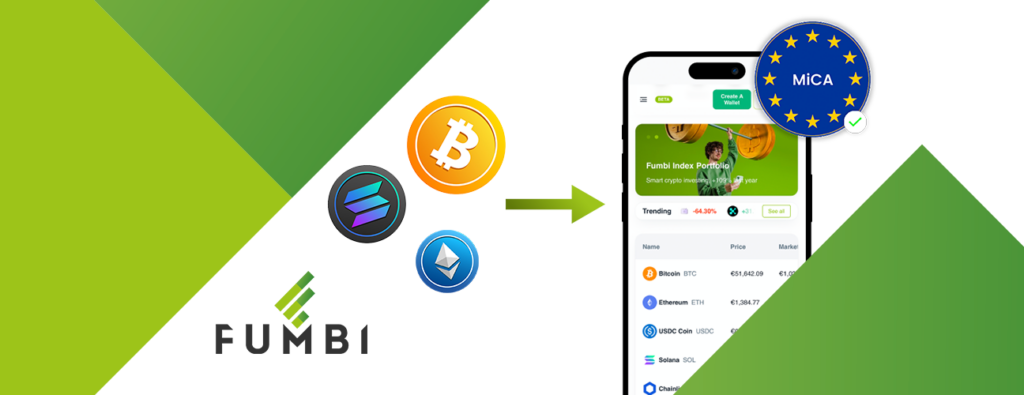
As of July 1, 2026, the MiCA Regulation has been fully implemented across the European Union, establishing unified rules for crypto service providers. For clients, this means that not every crypto platform will be able to continue providing its services in the EU as before.
Companies that have not obtained MiCA authorization may no longer be authorized to provide their services to clients within the EU. In practice, this may result in service restrictions, discontinued support, or the need to transfer cryptocurrencies to a regulated provider.
This does not only apply to smaller companies. Some of the world’s largest crypto platforms have also not yet obtained MiCA authorization, which may create uncertainty for clients holding their cryptocurrencies on those platforms.
What You’ll Learn in This Article
- What is MiCA and why is it important
- Why transfer your cryptocurrencies to Fumbi
- What is Fumbi Wallet?
- How to transfer cryptocurrencies to Fumbi
- What should you check before transferring cryptocurrencies
- When does it make sense to transfer cryptocurrencies to Fumbi
- What is currently not possible
What Is MiCA and Why Is It Important?

MiCA, short for Markets in Crypto-Assets Regulation, is a European regulation that establishes unified rules for crypto service providers across the European Union.
The purpose of MiCA is to increase transparency, establish clear rules for the crypto market, and improve client protection when using cryptocurrency-related services.
For clients, the most important aspect is that a crypto service provider must meet regulatory requirements and obtain the relevant MiCA authorization in order to provide its services in compliance with European regulations.
If a crypto platform does not obtain MiCA authorization, its services for clients in the EU may be restricted, suspended, or discontinued. This may affect, for example, the ability to use certain features, open new accounts, buy, sell, or transfer cryptocurrencies.
Why Transfer Your Cryptocurrencies to Fumbi?

Fumbi is among the first holders of a MiCA authorization issued by the National Bank of Slovakia. Thanks to this, it can provide its services in compliance with the new European regulations.
If you hold cryptocurrencies on a platform without MiCA authorization, transferring them to Fumbi can be a practical solution for keeping them in a regulated environment.
The process is simple: first, send your cryptocurrencies from the original platform to your Fumbi Wallet. Once they have been credited, you can transfer them directly to your Fumbi Account.
With Fumbi, you gain access to a provider with MiCA authorization, a clear environment for managing cryptocurrencies, and the ability to connect your Fumbi Wallet with your Fumbi Account.
Fumbi is a Slovak company operating under the supervision of the National Bank of Slovakia and provides its services in compliance with the MiCA Regulation.
TRANSFER CRYPTOCURRENCIES TO FUMBI

What Is Fumbi Wallet?

Fumbi Wallet is a crypto wallet available within your Fumbi profile that allows you to receive, hold, and manage supported cryptocurrencies. It is connected to your Fumbi Account and serves as the entry point for transferring selected cryptocurrencies from another platform to Fumbi.
Once the cryptocurrencies have been received in your Fumbi Wallet, you can transfer them directly to your Fumbi Account.
You can currently transfer the following cryptocurrencies via Fumbi Wallet:
- Bitcoin — BTC,
- Ethereum — ETH,
- Solana — SOL.
Before each transfer, always verify that you are sending a supported cryptocurrency and using the correct network. If you send a cryptocurrency to the wrong address or via an unsupported network, your funds may be lost.
TRANSFER CRYPTOCURRENCIES TO FUMBI
How to Transfer Cryptocurrencies to Fumbi?
Transferring cryptocurrencies to Fumbi is done through the Fumbi Wallet, which you can create directly in your Fumbi profile.
The entire process works as follows:
Original platform → Fumbi Wallet → Fumbi Account
First, send the supported cryptocurrencies from another platform to your Fumbi Wallet. Once they have been credited, you can transfer them directly to your Fumbi Account.
1. Log In or Register with Fumbi
If you already have a Fumbi Account, log in to your profile.
If you do not have an account yet, register first. Once your registration is complete, you will gain access to your Fumbi profile, where you can create your Fumbi Wallet.
2. Create Your Fumbi Wallet and Wait for Approval
Create your Fumbi Wallet in your Fumbi profile.
The Fumbi Wallet will be connected to your Fumbi Account and will allow you to receive supported cryptocurrencies from another platform.
After creating your Fumbi Wallet, it must be approved as part of the mandatory AML verification process. This is a standard part of the process designed to ensure the secure and regulated provision of the service.
You can use your Fumbi Wallet to receive supported cryptocurrencies only after it has been approved.
If you later deactivate an already activated and approved Fumbi Wallet and wish to use it again, you will need to go through the approval process once more.
3. Select the Cryptocurrency You Want to Receive
In your Fumbi Wallet, select the cryptocurrency you want to transfer.
Currently, BTC, ETH, and SOL can be transferred.
4. Copy Your Receiving Address
After selecting the cryptocurrency, copy the receiving address of your Fumbi Wallet.
You will use this address on the platform from which you want to send your cryptocurrencies.
5. Initiate the Withdrawal on the Original Platform
Log in to the platform where you currently hold your cryptocurrencies.
In the cryptocurrency withdrawal section, select the relevant cryptocurrency, enter your Fumbi Wallet receiving address, and confirm the transaction.
Before confirming, carefully check:
- that you are sending the correct cryptocurrency,
- that you have entered the correct address,
- that you are using the supported network,
- that the transfer amount is correct,
- that you understand the transaction fees.
6. Transfer Your Cryptocurrencies from Fumbi Wallet to Your Fumbi Account
Once the cryptocurrencies have been credited to your Fumbi Wallet, you can transfer them directly to your Fumbi Account.
This allows you to have your supported cryptocurrencies connected to the Fumbi ecosystem and manage them within your Fumbi Account.
TRANSFER CRYPTOCURRENCIES TO FUMBI
What Should You Check Before Transferring Cryptocurrencies?
Crypto transactions are irreversible once they have been sent. Therefore, it is important to proceed carefully and thoroughly verify all information before confirming the transaction.
Before transferring your cryptocurrencies, make sure to check:
- whether your Fumbi Wallet has been approved,
- whether Fumbi supports the cryptocurrency you want to send,
- whether you are using the correct blockchain network,
- whether you have copied the correct receiving address,
- whether you are aware of the withdrawal fee charged by the original platform,
- whether, for larger amounts, you would prefer to send a small test transfer first.
Do not send unsupported cryptocurrencies or cryptocurrencies via an unsupported network to your Fumbi Wallet. If you are unsure, we recommend contacting customer support first.
When Does It Make Sense to Transfer Cryptocurrencies to Fumbi?
You may want to consider transferring your cryptocurrencies to Fumbi if you hold BTC, ETH, or SOL on another crypto platform and are unsure whether your provider has obtained MiCA authorization.
It may also be a suitable solution if your provider has announced restrictions on services for clients in the EU, if you are uncertain whether it will continue operating in the EU without limitations, or if you want to keep your cryptocurrencies with a provider that holds MiCA authorization.
Fumbi Wallet may also be a suitable solution for clients who want to have their supported cryptocurrencies connected to their Fumbi Account in one clear and convenient environment.
TRANSFER CRYPTOCURRENCIES TO FUMBI
What Is Currently Not Possible?
To avoid mistakes during the transfer process, it is also important to understand the current service limitations.
At the moment, it is not possible to send cryptocurrencies that are not on the supported list to Fumbi Wallet. Likewise, Fumbi Wallet cannot be used before it has been approved through the mandatory AML verification process.
If you deactivate an already approved Fumbi Wallet and wish to use it again later, you will need to complete the approval process once more.
FAQ
1. How Do I Transfer Cryptocurrencies to Fumbi?
You can transfer cryptocurrencies through the Fumbi Wallet. First, log in or register with Fumbi, create your Fumbi Wallet, wait for its approval as part of the mandatory AML verification process, copy your receiving address, and initiate a cryptocurrency withdrawal to that address from the original platform. Once the cryptocurrencies have been credited to your Fumbi Wallet, you can transfer them directly to your Fumbi Account.
2. Which Cryptocurrencies Can I Transfer to Fumbi?
Currently, you can transfer BTC, ETH, and SOL to your Fumbi Wallet.
3. Can I Transfer Bitcoin to Fumbi?
Yes. Bitcoin (BTC) is one of the cryptocurrencies that can currently be transferred to your Fumbi Wallet. Once your BTC has been credited to your Fumbi Wallet, you can transfer it directly to your Fumbi Account.
4. Can I Transfer Ethereum to Fumbi?
Yes. Ethereum (ETH) is one of the cryptocurrencies that can currently be transferred to your Fumbi Wallet. Once your ETH has been credited to your Fumbi Wallet, you can transfer it directly to your Fumbi Account.
5. Can I Transfer Solana to Fumbi?
Yes. Solana (SOL) is one of the cryptocurrencies that can currently be transferred to your Fumbi Wallet. Once your SOL has been credited to your Fumbi Wallet, you can transfer it directly to your Fumbi Account.
6. Do I Need to Have a Fumbi Account?
Yes. You need a Fumbi Account to create a Fumbi Wallet. If you do not have one yet, simply register.
7. What Is Fumbi Wallet?
Fumbi Wallet is a wallet available in your Fumbi profile that allows you to receive and manage supported cryptocurrencies and is connected to your Fumbi Account. Once cryptocurrencies have been received in your Fumbi Wallet, you can transfer them directly to your Fumbi Account.
8. Does My Fumbi Wallet Need to Be Approved Before Receiving Cryptocurrencies?
Yes. After creating your Fumbi Wallet, it must be approved as part of the mandatory AML verification process. You can use your Fumbi Wallet to receive supported cryptocurrencies only after it has been approved.
9. What Does Fumbi Wallet AML Approval Mean?
AML approval is a mandatory verification process based on anti-money laundering regulations. It is a standard part of the process for providing regulated crypto services.
10. What Happens If I Deactivate My Fumbi Wallet?
If you deactivate an already activated and approved Fumbi Wallet and later wish to use it again, you will need to complete the approval process once more.
11. Can I Send Cryptocurrencies Other Than BTC, ETH, and SOL to Fumbi?
Currently, only the supported cryptocurrencies BTC, ETH, and SOL can be sent to the Fumbi Wallet. Do not send unsupported cryptocurrencies to your Fumbi Wallet.
12. What Happens If I Send Cryptocurrency to the Wrong Address?
Crypto transactions are irreversible once they have been sent. If you send cryptocurrency to the wrong address or through the wrong network, your funds may be lost. Therefore, always carefully verify all details before making a transfer.
13. Do I Have to Transfer All My Cryptocurrencies at Once?
No. For larger amounts, it may be advisable to send a small test transfer first and only send the remaining amount after it has been successfully received.
14. Why Is MiCA Authorization Important?
MiCA authorization means that a crypto service provider has met the regulatory requirements under European legislation. For clients, it is an important indication that the company operates within a regulated environment.
15. What Should I Do If My Crypto Platform Is Discontinuing Its Services in the EU?
If your crypto platform is discontinuing or restricting its services within the EU, check its official instructions for withdrawing or transferring cryptocurrencies. If you hold supported cryptocurrencies such as BTC, ETH, or SOL, you can transfer them to Fumbi via your Fumbi Wallet and then transfer them directly to your Fumbi Account.
Summary
If you hold cryptocurrencies on a platform without MiCA authorization, now is the right time to consider transferring them to Fumbi’s regulated environment.
The transfer process works through the Fumbi Wallet:
Original platform → Fumbi Wallet → Fumbi Account
The process is simple:
- Log in or register with Fumbi.
- Create your Fumbi Wallet and wait for its approval as part of the mandatory AML verification process.
- Select the cryptocurrency you want to receive.
- Copy your receiving address.
- Initiate the withdrawal on the original platform.
- Once the cryptocurrencies have been credited to your Fumbi Wallet, transfer them directly to your Fumbi Account.
We currently support transfers of BTC, ETH, and SOL.
Transfer your cryptocurrencies to Fumbi’s regulated environment.
TRANSFER CRYPTOCURRENCIES TO FUMBI

Fumbi Network 
Fumbi


